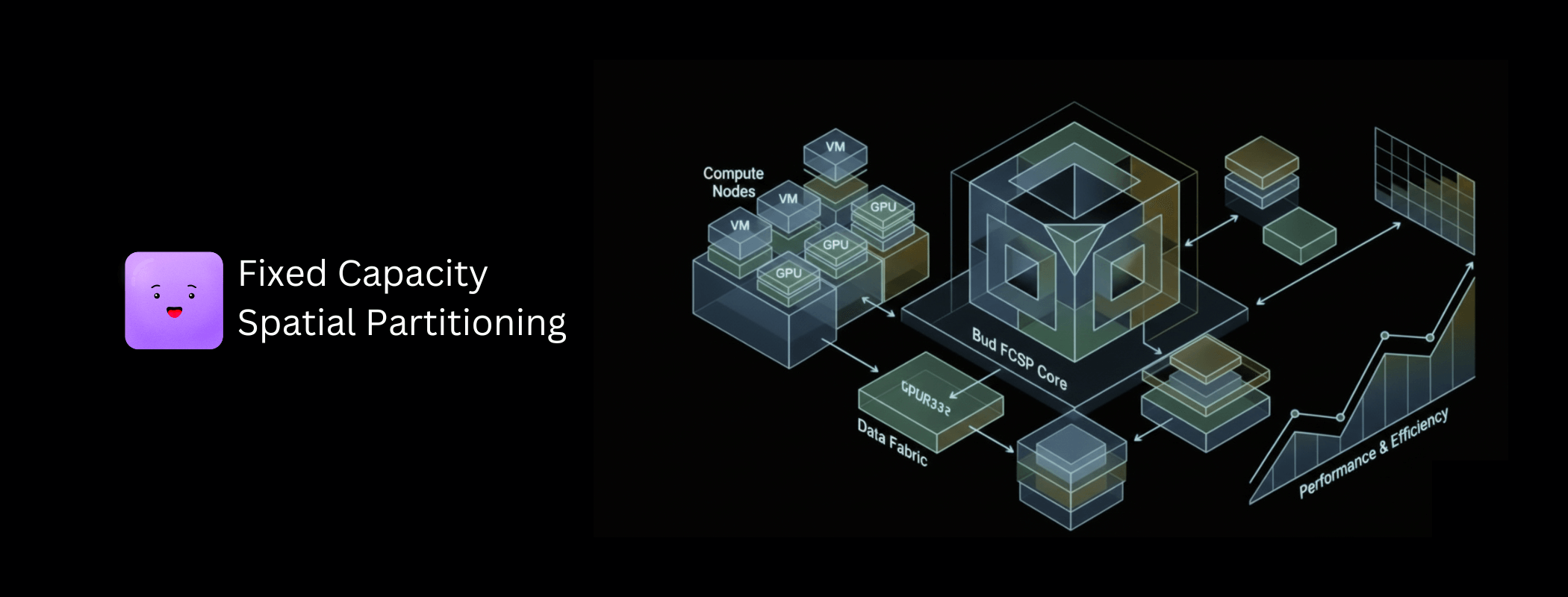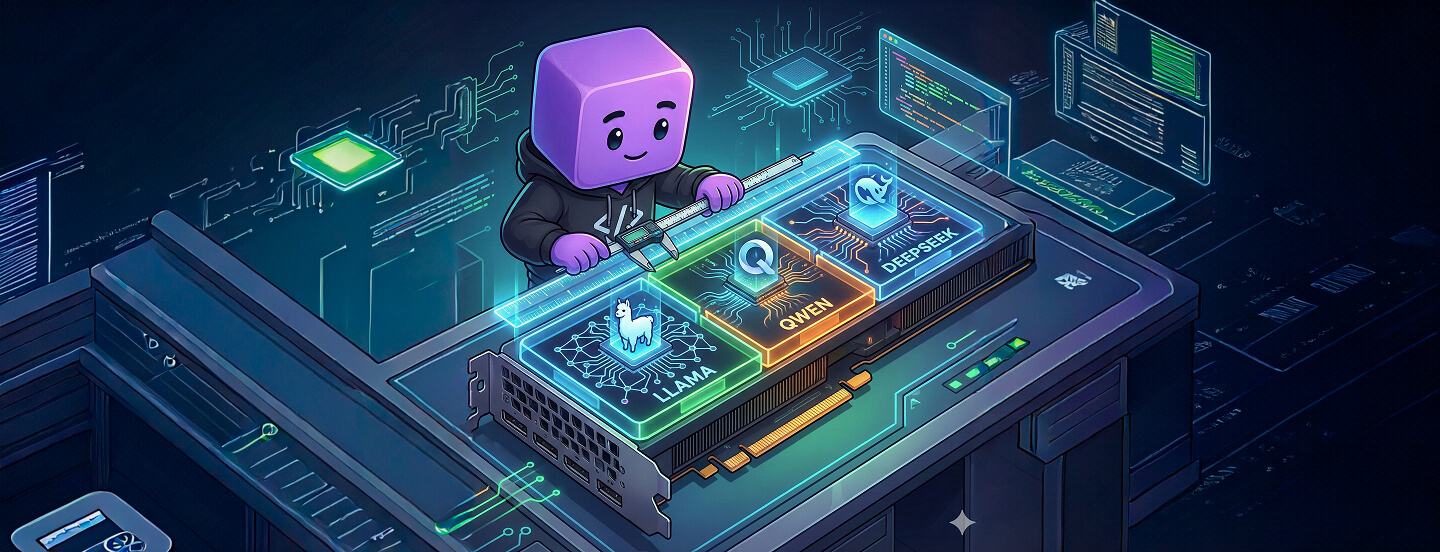
Most enterprises don't have a GPU performance problem — they have a GPU wastage problem. Clusters packed with A100s and H100s routinely run GenAI workloads at a fraction of their capacity, burning budget on idle VRAM, unused compute, and over-provisioned "just in case" headroom.
The result is quiet but massive leakage in AI infrastructure spend, especially in on-prem and AI-in-a-Box deployments where scaling out means buying more boxes. This piece covers Bud AI Foundry's heterogeneous GPU virtualization system, including our proprietary method, Fixed Capacity Spatial Partitioning (FCSP).
The underutilisation problem
Take a common example: a Llama-3-8B model on an A100 40GB. In real enterprise settings that workload typically uses 20–30 GB of VRAM at 60–70% GPU utilisation, with occasional spikes. The rest sits idle — yet the organisation still pays for the hardware, the power, the cooling, and the operations.
Those unused resources could instead support additional workers, embedding pipelines, guardrail systems, or other model workloads.
So why not just run multiple models on one GPU?
Because it isn't a matter of placing them side by side. Each workload competes for VRAM, compute cores, memory bandwidth, interconnect capacity, kernel execution time, and low-level driver pathways. Unless those are isolated with precision, one model starves another, a single out-of-memory event collapses the entire card, and minor contention cascades into broken latency SLOs.
Achieving that control requires kernel-level scheduling knowledge, driver internals, vendor-specific memory partitioning behaviour, and orchestration techniques most enterprises don't have in-house. And because isolation isn't standardised across vendors — or even across GPU generations from the same vendor — the problem compounds at scale. Lacking the capability, organisations default to the option they can manage safely: buying more GPUs, while the ones they own stay underused.
Three strategies, selected automatically
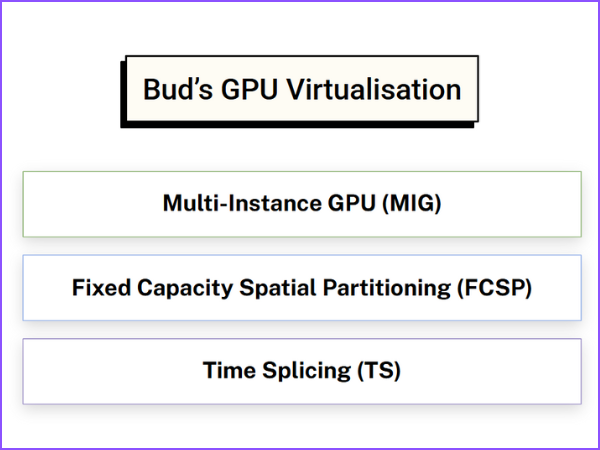
Bud AI Foundry's virtualization engine slices GPUs across all major vendors — NVIDIA, AMD, Intel, Huawei, Qualcomm — across on-prem, air-gapped and cloud deployments, and across every hardware tier from high-end to legacy. It picks one of three strategies based on what the hardware can actually do.
Hardware-level virtualization (MIG)
For high-end GPUs that support it, Bud uses Multi-Instance GPU. A physical card is carved into instances at the hardware and firmware level, each with its own memory and a dedicated share of compute and internal bandwidth, so one workload cannot overrun another's resources. Because partitioning happens inside the GPU, Bud treats each slice as an independent device — native isolation, effectively zero overhead on our side, maximum predictability, and strict SLO guarantees.
Fixed Capacity Spatial Partitioning
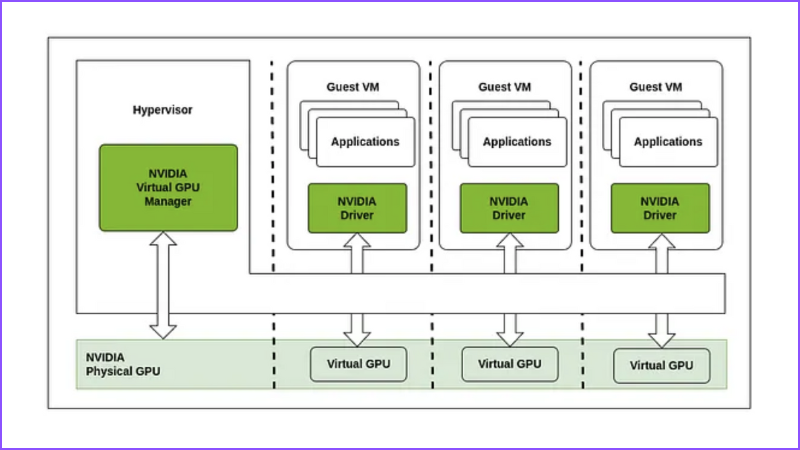
Most GPUs on the market — especially mid-range and entry-level cards — don't support MIG-style partitioning. FCSP virtually slices the GPU into isolated chunks in software, with guaranteed VRAM and compute, turning a single card into several independent virtual GPUs. Each slice behaves like a dedicated card, with stable performance and strong isolation.
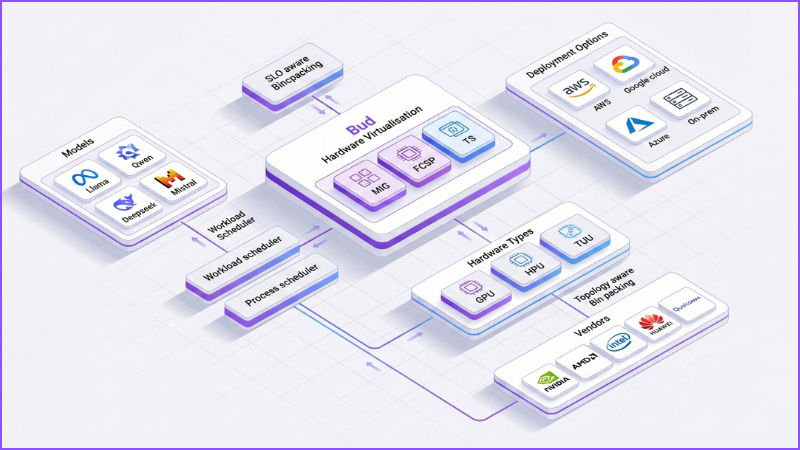
It works through three levels of scheduling. SLO-aware request binpacking evaluates every workload by model size, VRAM footprint, SLOs, compute intensity and expected concurrency, then maps workloads onto slices so they avoid collisions and each gets the VRAM, compute cycles and latency headroom it needs.
Once placed, the process-level scheduler takes over inside the slice, controlling which processes run when, for how long, and under what conditions execution is preempted or terminated. It enforces execution windows and ordering, and prevents a misbehaving kernel from monopolising the device.
Topology-aware bin packing extends this beyond a single device. Real clusters mix vendors, span on-prem racks and clouds, and pair single-GPU machines with eight-GPU NVLink nodes hanging off different PCIe roots and NUMA domains. Placement decisions account for GPU-to-GPU bandwidth, the NVLink and PCIe connectivity map, CPU-GPU locality, and which workers sit physically closest to which accelerators — reducing cross-GPU contention, cutting hops over congested links, and smoothing tail latency.
Time-slicing for legacy fleets
Many production clusters still run cards that support neither MIG nor FCSP-style partitioning. There, Bud falls back to a lightweight time-slicing scheduler that rapidly context-switches between workloads, allocating each controlled windows of execution time.
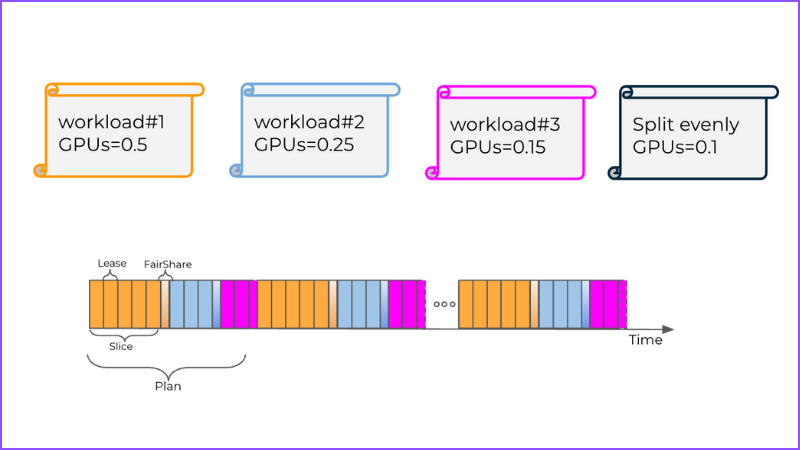
This prevents any single model monopolising the device, enforces baseline fairness, and stops long-running kernels blocking everything else. It is not hardware-enforced isolation — but it makes genuine multi-model inference possible on GPUs that would otherwise be locked to one workload.
A 30-minute walkthrough on your hardware mix, governance constraints, and top use case.
What the platform adds around it
- Heterogeneous by design. The same abstraction spans multiple GPU vendors and GPU-as-a-service offerings, whether workloads run in one on-prem cluster, across cloud regions, or in a hybrid of both.
- Multiple strategies, one platform. MIG, FCSP and time-slicing under a consistent operational model, so you can slice almost any GPU rather than only high-end SKUs.
- Dynamic fractionalisation. A continuous optimisation pipeline monitors workload characteristics, SLOs and hardware capability, then right-sizes slices to drive utilisation while preserving isolation.
- Orchestration integration. Virtualized GPUs surface as schedulable resources in Kubernetes and OpenShift, so existing deployment workflows target shared GPUs with no special cases.
- Visibility. Dashboards show how each GPU is sliced, which workloads map to which slices, and how scheduling evolves — utilisation, contention and SLO adherence in real time rather than a black box.
- Auto-optimisation copilot. Continuously analyses deployments and suggests or applies tuning to GPU sizing, placement and virtualization settings, reducing dependence on specialist infrastructure teams.
Where teams put it to work
- Turn idle headroom into a live guardrail system. Most production LLM endpoints run with real VRAM and compute slack. Use it to deploy safety, compliance and content-filtering models on the same GPU, with low-latency access to the same data path and no separate cluster.
- Let multiple teams share hardware safely. Rather than statically assigning whole GPUs per team, slice cards into isolated vGPUs with clear SLOs and quotas — eliminating GPU silos and stranded capacity.
- Maximise utilisation as a service provider. Carve a fleet into fine-grained slices matched to tenant workloads instead of renting whole GPUs: higher density per node, better yield per card, and differentiated fractional SKUs with isolation guarantees.
- Increase density in appliances. For edge and on-prem boxes, let LLM, embeddings, vision and guardrails coexist on one device — a full AI stack inside a constrained hardware envelope.
- Run staging and production on one fleet. Dedicate slices to staging, canary or shadow deployments on the same hardware serving production, keeping environments behaviourally close without a second cluster.
Common questions
What's the real difference between MIG-style partitioning and time-slicing?
Hardware partitioning carves the GPU into fixed, isolated instances with dedicated memory and compute, giving strong predictability and low interference. Time-slicing keeps one shared memory space but rapidly switches workloads on and off the GPU, trading strict isolation for flexibility, support on legacy cards, and fairness.
Do vGPUs just appear as separate CUDA devices to my code?
Typically yes. Each virtual GPU is exposed as a separate logical device with its own device ID and reported memory size. Your code or scheduler targets those IDs without knowing they are slices. Orchestration systems additionally see them as resource annotations or extended resources.
How does sharing affect P95 and P99 latency?
Sharing raises average utilisation and can increase tail latency when workloads contend. With fixed VRAM slices, fair schedulers and SLO-aware binpacking, P95 can stay close to dedicated performance — though P99 often grows. Per-slice rate limits, maximum concurrency and circuit breakers are the guardrails for when queues build.
Which metrics show whether a shared GPU is underused or overloaded?
Track per-slice VRAM against limits, SM and tensor core utilisation, memory bandwidth, and kernel queue depth — alongside request rate, per-model concurrency, P50/P95/P99 latency and error rates. Underutilisation shows as low compute and bandwidth; overload appears as rising queues, tail latency, throttling, and elevated OOM or timeout errors.
Do I need to change model code or containers?
Generally no. The virtualization layer is framework- and container-agnostic, so existing PyTorch, TensorFlow and LLM stacks run unchanged. You target a virtual GPU instead of a physical one; the differences live in scheduling and configuration, not in model code or images.
How does Bud choose between the three, and can I override it?
Bud inspects each GPU's capabilities: MIG where available, otherwise FCSP, and time-slicing on legacy cards. Policy controls let platform teams pin specific pools or workloads to a chosen mode when they need stricter isolation or specific behaviour guarantees.
- The constraint is rarely GPU performance — it is isolation expertise most teams don't have in-house.
- One abstraction over MIG, FCSP and time-slicing means mixed fleets get a single operational model.
- Topology-aware placement is what keeps distributed inference predictable once slices span nodes.
The Llama-3-8B utilisation profile and the 30% idle-capacity figure are typical observed ranges from enterprise deployments, not a controlled study. The $183K–$259K monthly figure is a worked illustration: 10 H100 nodes at $85–$120 per node-hour running continuously, with 30% of that spend attributable to idle capacity. Substitute your own node pricing, utilisation and duty cycle before using it in a business case. Vendor support beyond NVIDIA varies by GPU family and driver — confirm coverage for your specific hardware.